Apps

Soku Conte

A lightweight app just for animatics. Draw on the dedicated storyboard sheets and scan them, and in an instant they become a timeline with camera moves and transitions. Color scripts and the materials you need for outsourcing all export from this one app.

Features

  • The interface, exported PDFs and dedicated sheets can be switched to English.
Dedicated sheet
Dedicated sheet
  1. Draw and scan
  2. Import
  3. Export PDF
Storyboard PDF
Storyboard PDF
Storyboard import
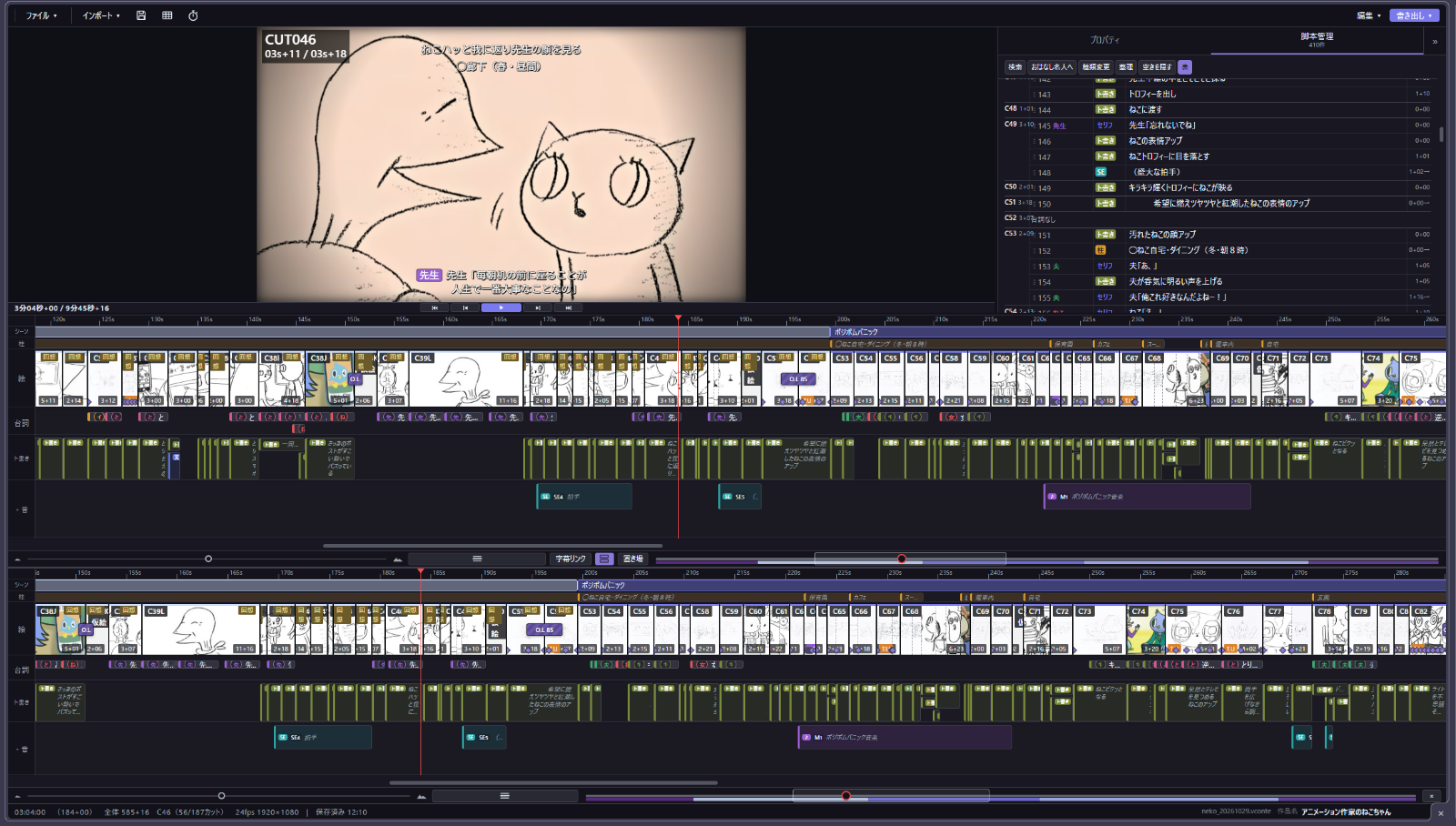
Storyboard importReads drawings, cut numbers, timing, camera moves and transitions from scans of the dedicated sheets and places them on the timeline. Handwritten dialogue is transcribed with AI.
Animatic editing
Animatic editingEdit timing, order, transitions, dialogue and sound on a timeline modeled on After Effects and Premiere. Choose FIX, T.U, T.B, PAN or follow, then adjust the start and end frames.
Export
ExportMP4 with subtitles and cut numbers, storyboard PDFs, and a script plus assets that build the cuts in After Effects.
Exposure sheets
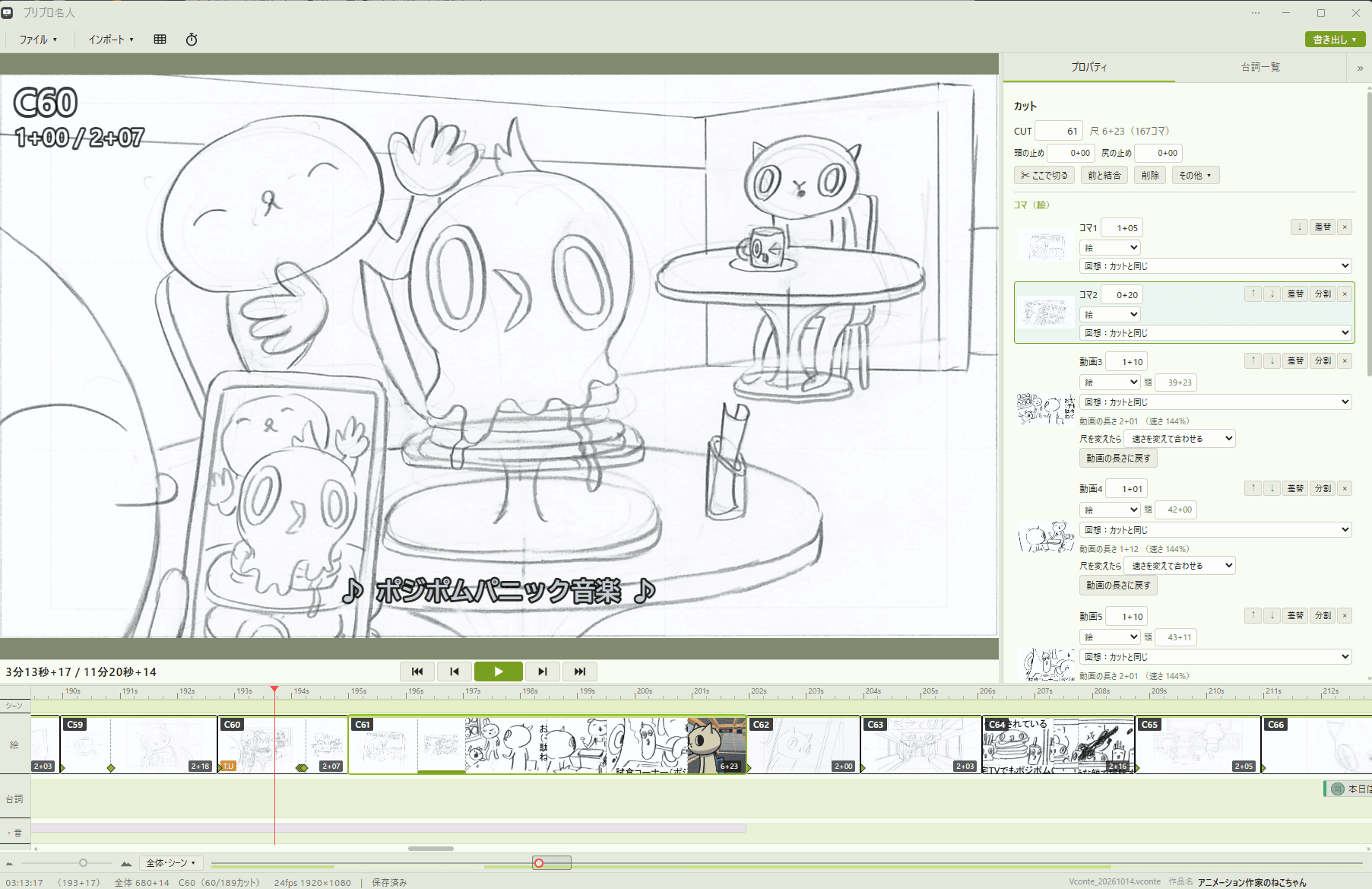
Exposure sheetsTiming measured with the built-in stopwatch updates the cut length. Exposure sheets export as PDF, Excel or XDTS.
Staff materials
Voice scripts (full and per character), music and sound-effect lists, key-animation sheets (AJA standard) and layout sheets, background underdrawings and color charts.
Cut packs
Per cut: a guide video, an underdrawing PSD and an instruction PDF with key frames, spacing charts and the exposure sheet.
Color script
Print a sheet of every cut, paint it, scan it back, and the colors are laid over each cut.
Image cleanup
Whitens the paper, darkens pencil lines and removes small specks away from the lines.
Link with the Togaki script editor
Import scripts written in Togaki and assign lines to cuts. Script changes made in Soku Conte can be sent back to Togaki.

Released

Togaki

A simple script editor for Japanese that supports vertical writing. Start writing clear, beautiful scripts right away, without any tedious setup. Link it with Soku Conte and your story goes straight onto the timeline.

Features

  • Drafts save automatically in the browser.
Write the script
Write the script
  1. Save as PDF
Vertical PDF (A4 landscape)
Vertical and horizontal
Vertical and horizontalWrite scene headings, action, dialogue, music and SE as separate line types, in vertical or horizontal layout.
Chapters and cuts
Chapters and cutsMark each chapter as not started, in review or done, and reorder chapters. Cut numbers run through all chapters.
Import and export
Import and exportRead and write TXT, Markdown and JSON. Save A4 landscape vertical PDFs with cover and page numbers in one or two tiers, or print.
Writing tools
Writing toolsAutomatic formatting (indents, closing brackets, ellipses, blank lines), fonts and text size, color themes and background images.
Focus mode
Focus modeFill the screen with the manuscript alone. Only the chapter name is shown, and you can move to the previous or next chapter without leaving it.
Find and replace
Find and replaceFind and replace across all chapters. Replace All can be undone in one step.
Link with the Soku Conte storyboard app
Open the JSON in Soku Conte to keep chapters, cut numbers and line types including music and SE. Changes made in Soku Conte can be brought back.

Released

Shakutori Meijin

A stopwatch app for animators. Choose 24 fps or another frame rate and see right away the length and number of key drawings you need. It supports voice input, so it is handy for timing dialogue too.

Features

  • Japanese, English, Chinese and French.
  • Undo, redo, automatic saving and recovery in the browser. The current version does not provide manual file import or export.
Hold the screen along with the action
  1. Release
Exposure sheet
Exposure sheet
Timing
TimingTiming runs while you hold the screen, with a segment for each beat of the performance. A tap mode times with taps instead.
Exposure sheet
Exposure sheetShown in the standard Japanese studio format (6 seconds per sheet) with cel columns A–H and a sound column. Each segment shows seconds plus frames, frame count and key drawings.
Settings
SettingsFrame rate (8–30 fps, 29.97), drawing exposure, cel-column names, simple or pro layout, themes and background image.
Sound column
Sound columnFills automatically while the microphone hears a voice and marks each sound with a dot. Entered dialogue is checked against the dot count.
Editing
EditingAdd or remove frames per drawing and merge or split segments. Change exposure and repeated drawings in bulk.
Segment list
Segment listAll segments in a table, with total time, total frames and total key drawings.

Released

Tehon

A reference manager for people who want their references anywhere, even on the go. It stores any file format, and works as your own place to keep ideas. *A Dropbox account is required.

Features

  • Tags and other data are stored in Dropbox per device, so several devices can be used at once. Original files are left unchanged.
  • A browser extension is in review.
Dropbox folder
Dropbox folder
  1. Connect Dropbox
Library
Library
Library
LibraryImages, GIFs, videos, text and URLs, plus PDF, PSD, RAW, HEIC, fonts, audio and 3D models as thumbnails. Grid or waterfall layout with a set column count.
Library (Screen recording)
Screen recording
Folders and tags
Folders and tagsOrganize and filter by folder, tag and favorite. Tag several items at once.
Viewer
ViewerPage through PDFs, play video and audio, rotate 3D models, and edit text and Markdown.

Released

Butcher

An app that exports image slices and individual layers. It also exports GIF, animated WebP and MP4, which makes it handy for creating social media posts. The name means a meat cutter.

Features

PSD
PSD
  1. Export
One PNG per layer (slice-out-layer-lineart.png)One PNG per layer (slice-out-layer-white.png)One PNG per layer (slice-out-layer-red.png)
One PNG per layer
Video
Video
  1. Dots: 6 px
  2. 16 colors
  3. Export
GIF
GIF
Layer export
Layer exportExport layers and folders as PNG, JPEG, WebP or favicon (ICO), with blend modes, masks and clipping applied. Several open files can be processed at once.
Slices
SlicesCut out chosen areas, or detect comic panel frames automatically. Slice settings can be saved and loaded.
Slices (Screen recording)
Screen recording
GIF and video
GIF and videoExport GIF, animated WebP or MP4 from a video, with range, size, FPS, loop count, color count and target file size.
Social and wallpaper sizes
Social and wallpaper sizesExport images and videos to X and Instagram post sizes and to iPhone, Android, iPad and PC wallpaper sizes in one go.
Signature
SignatureAdd your name to exported images, GIFs and videos.
Warnings
Shows per layer which elements, such as layer effects and adjustment layers, cannot be reproduced.

Released

Manga FX

A collection of After Effects plug-ins for manga-style expression. Add speed lines, auras and ink pooling.

Features

  • Supports color footage, line art and transparent footage. 8 / 16 / 32 bpc, SmartFX and Multi-Frame Rendering. Every setting can be keyframed.
  • Available from the Manga FX effects menu in After Effects.
Line art
Line art
  1. Apply KZ InkPool
Ink pools
Ink pools
Concentration Lines
Concentration LinesThe center follows a layer or tracking data, and the empty center reshapes to the character every frame. Hand-drawn wobble, plus flicker, rotation, pulse and flow animation.
Concentration Lines (Speed lines)
Speed lines
Concentration Lines (Following a moving character)
Following a moving character
Aura
AuraKZ Aura Contour draws repeated lines or fills outward along a silhouette, in solid, gradient, stripe or rainbow colors, with presets and looping color animation.
Ink pools
Ink poolsKZ InkPool thickens crossings, close lines and Y or T junctions into rounded, ink-like pools, while keeping the gaps between lines and tapering line ends.

Released

Related posts

Send feedback or bug reports here.